
System Quick Links
1. Introduction & Purpose
This document provides an overview of the new application built using Google AppSheet to streamline our class scheduling, attendance tracking, and tutor management processes for the summer course.
The primary goal of this system is to move away from error-prone manual data entry and static spreadsheets towards a dynamic, real-time, and user-friendly mobile and web application. This initiative will significantly reduce administrative overhead, improve data accuracy, and provide clear, up-to-date information for both administrators and tutors.
2. The Core Components
Google Sheets (The Database)
- ✓Form Responses:Raw, untouched data submitted by parents.
- ✓Assignment Sheets:Where final, confirmed assignments are set.
- ✓Session Log:The critical source of truth, logging every single class session and its status.
- ✓Master Lists:Central catalogs for materials and tutors.
AppSheet App (The UI)
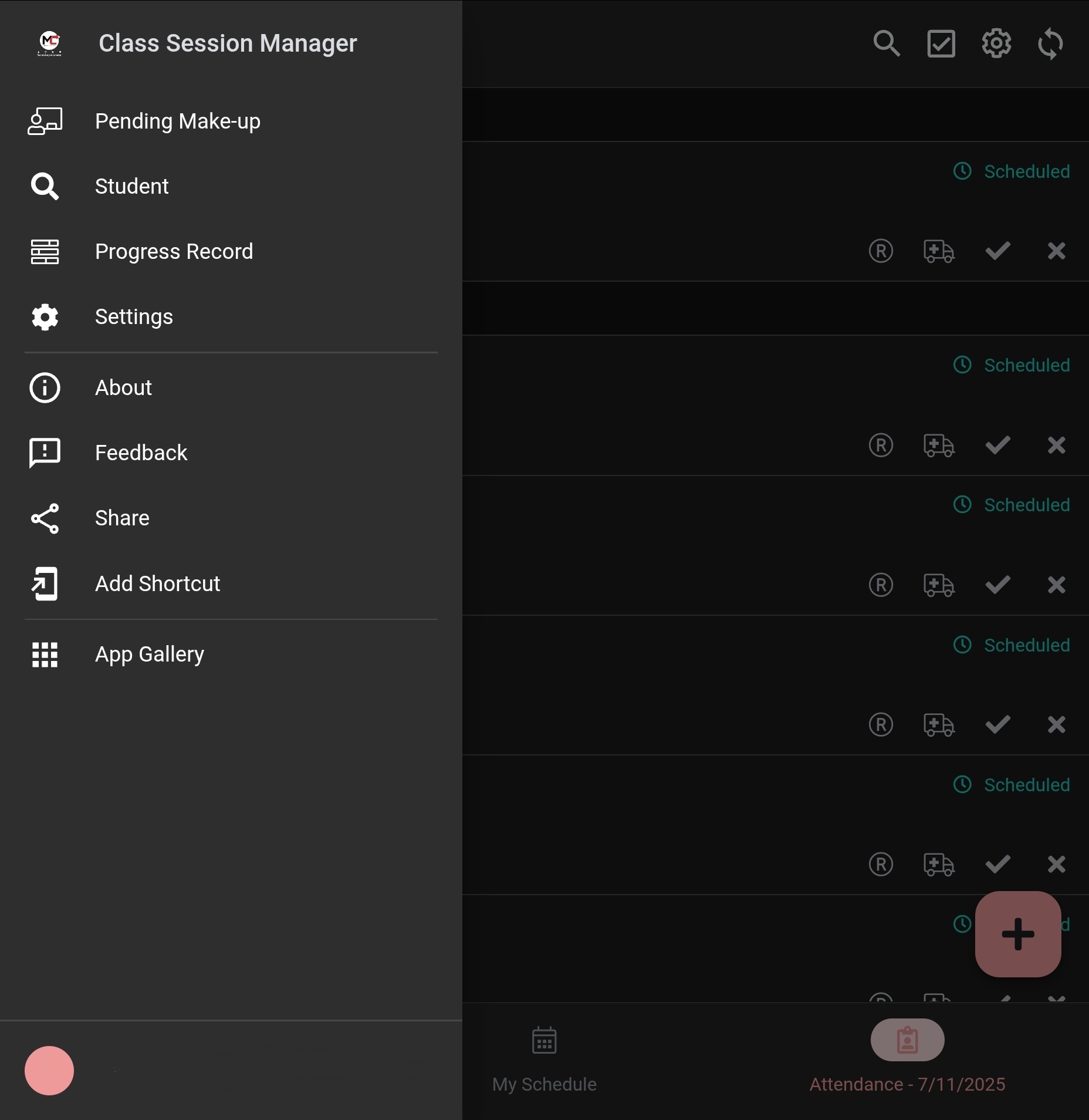
A mobile-first web application that provides tailored views and interactive tools, preventing direct spreadsheet edits and reducing human error.
3. Key Features & Benefits
Dynamic Tutor Schedules
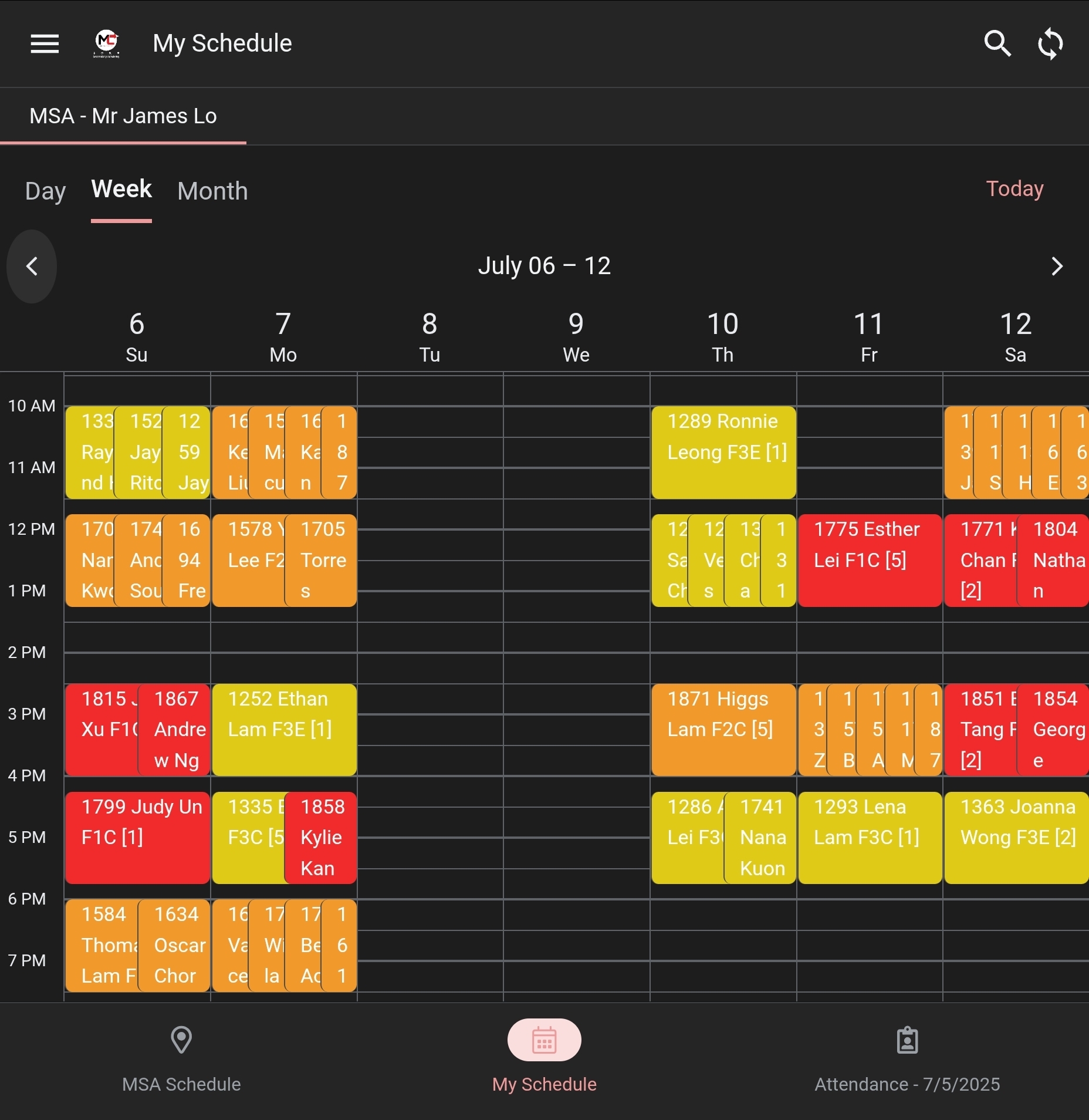
Tutors select their name and location to instantly display a personal schedule for any date. This view is always live, reflecting all changes, make-up classes, and cancellations.
Streamlined Attendance Tracking
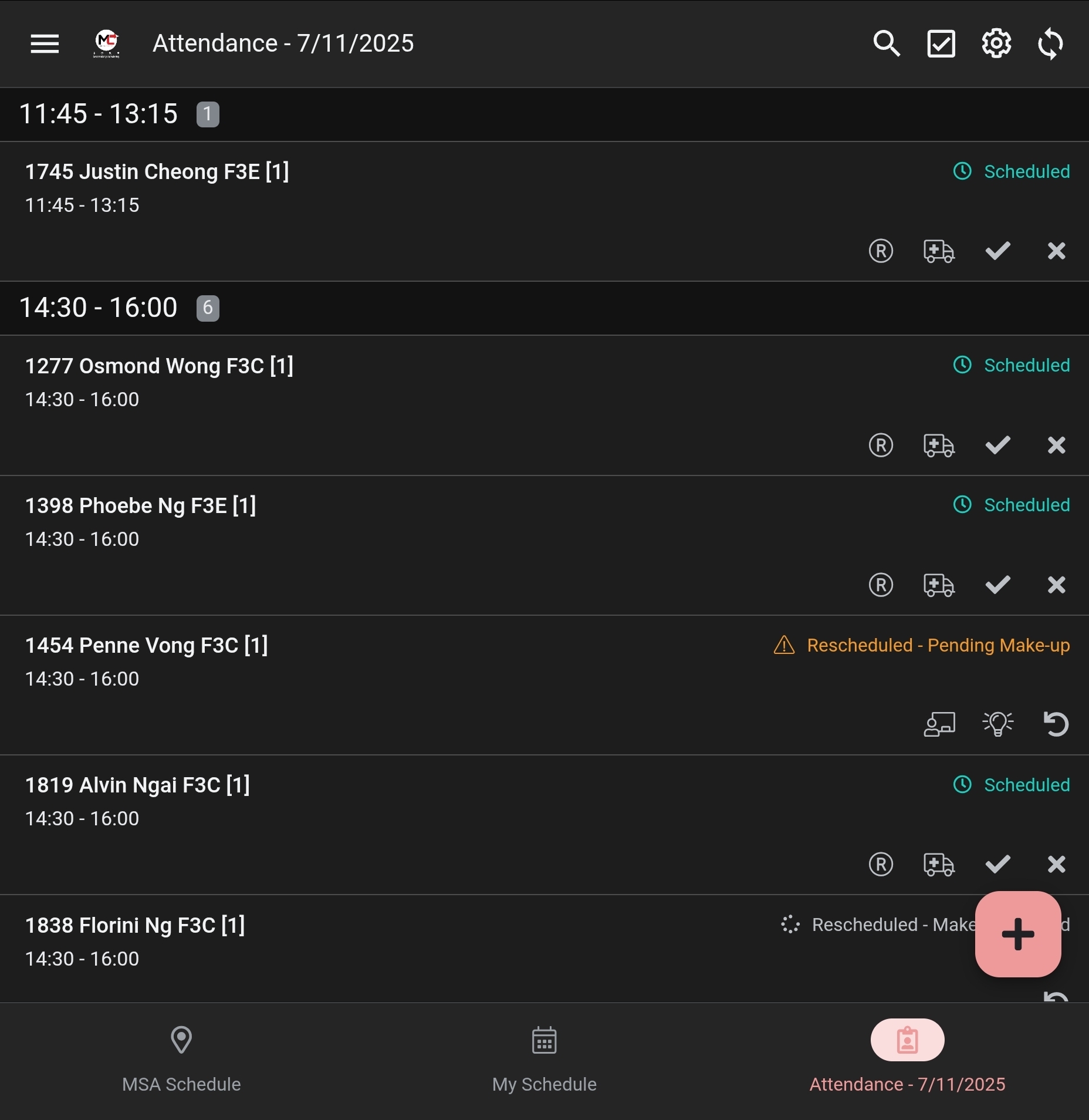
Tutors see a clear list of daily sessions and can use single-tap action buttons to instantly update a student's status, providing real-time data.
Efficient Rescheduling & Make-up Logging
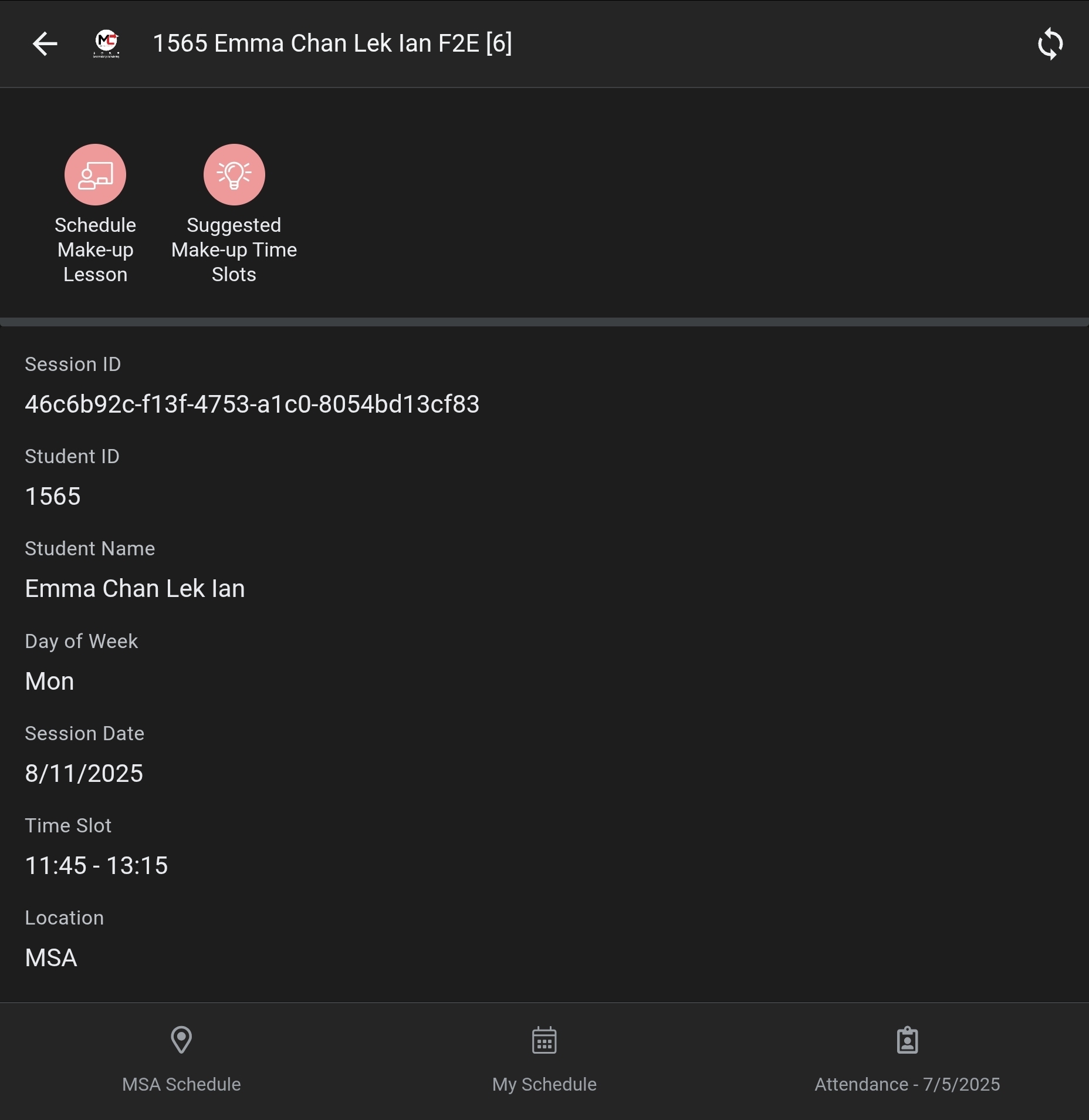
Tutors can mark a session as "Rescheduled" or "Sick Leave". A dedicated "Schedule Make-up Lesson" action then allows them to log the new session, pre-filling student details and linking it to the original missed lesson. There is also a "Suggested Make-up Time Slots" button for intelligent rescheduling.
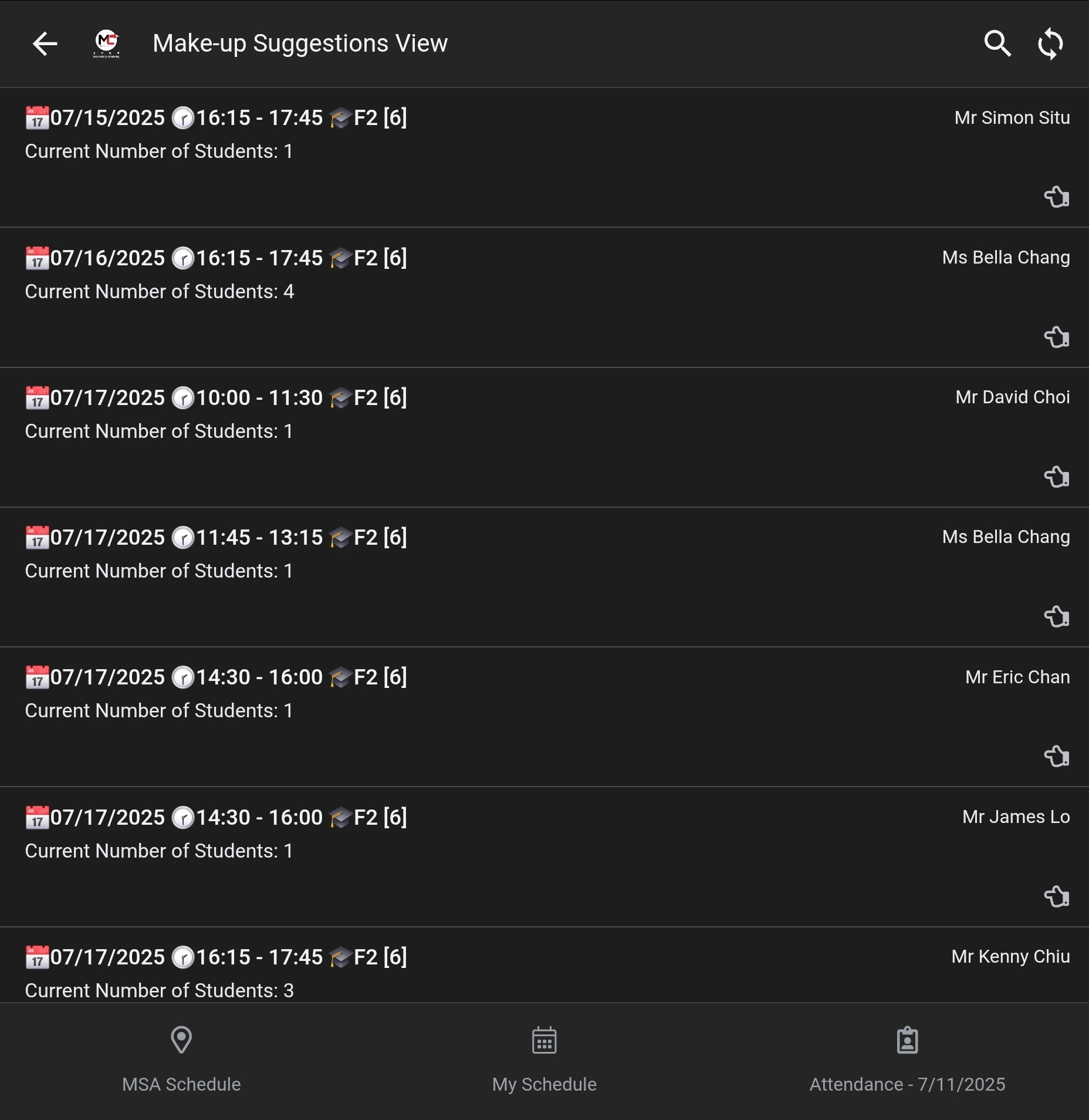
Intelligent Make-up Slot Suggestions
When scheduling a make-up through the "Suggested Make-up Time Slots" feature, the app automatically suggests a clean, de-duplicated list of future classes that match the student's grade, lesson number, and location, and have open seats. This saves administrators from manually cross-referencing multiple schedules.
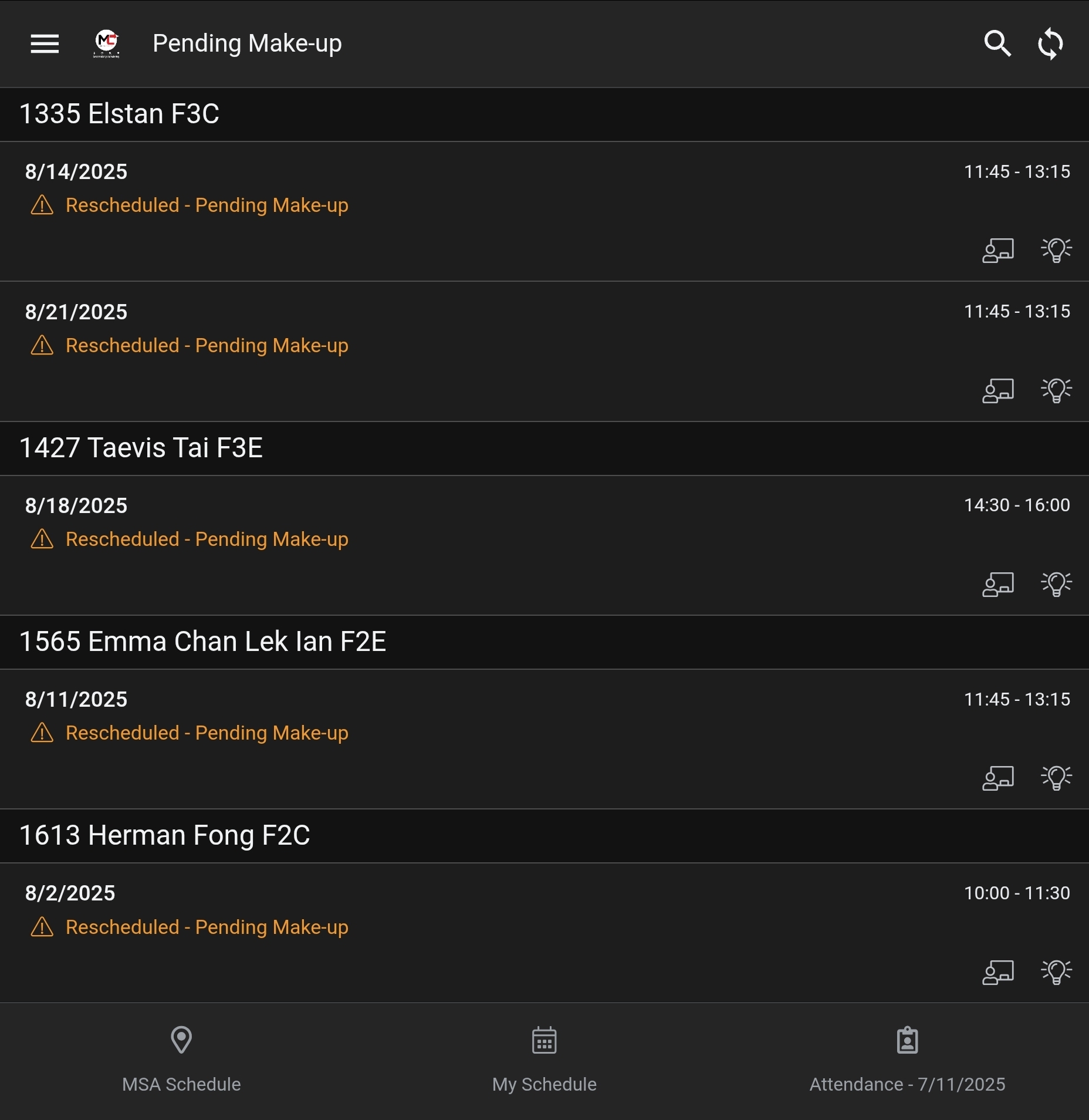
Make-up Session Management
A dedicated "Pending Make-up" view provides an at-a-glance list of all sessions that require a make-up to be scheduled, ensuring no students are missed.
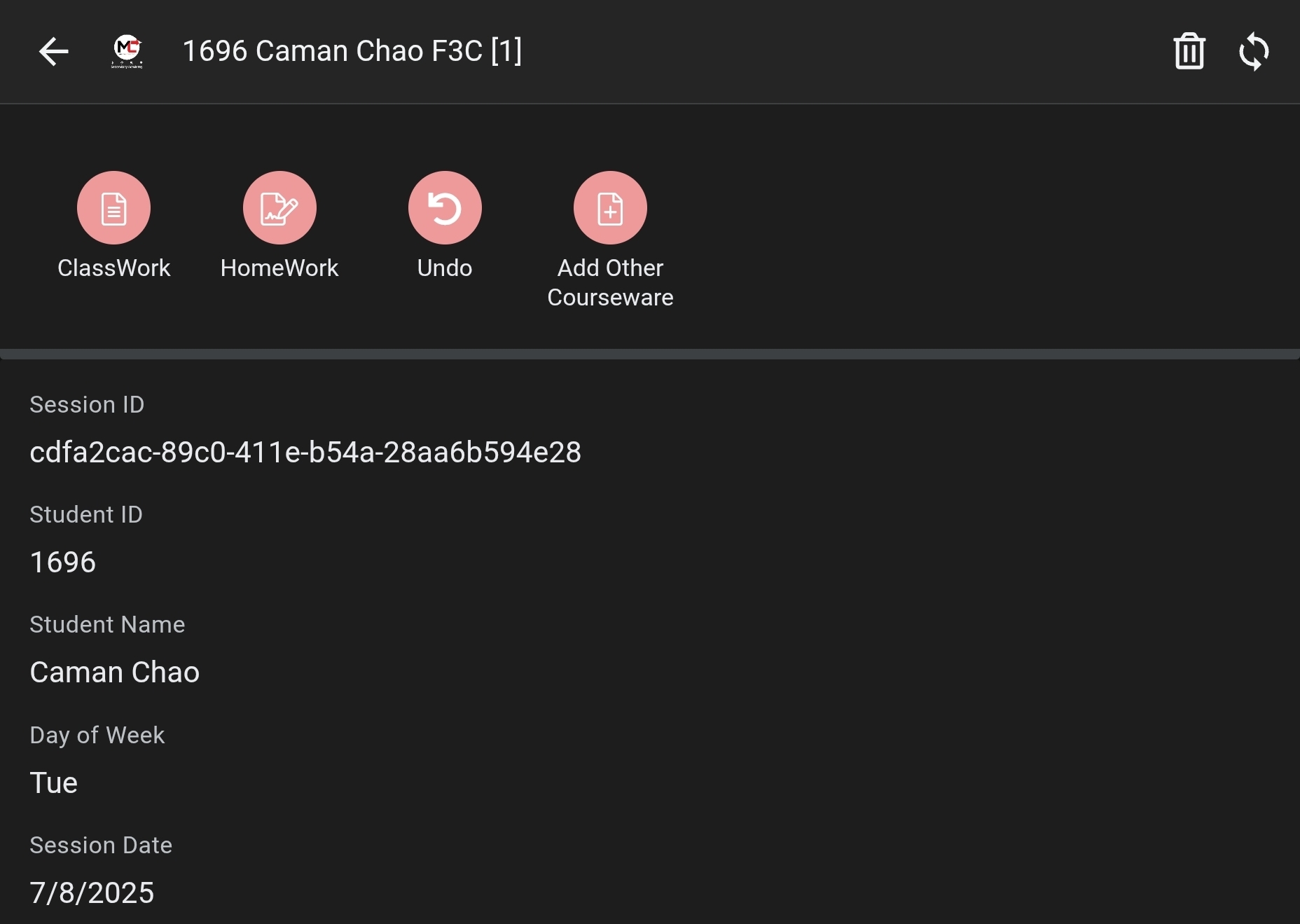
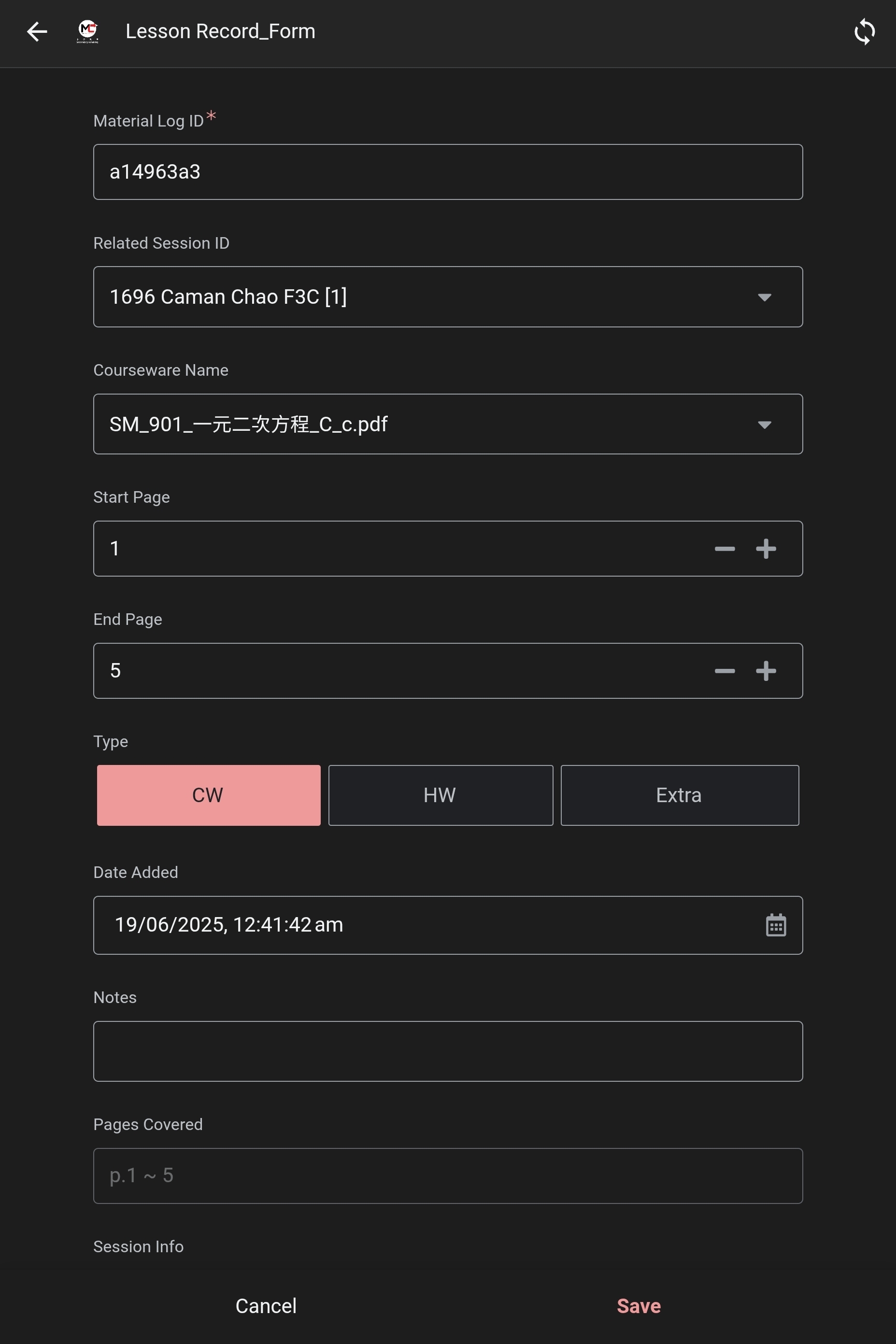
Detailed Progress & Material Records
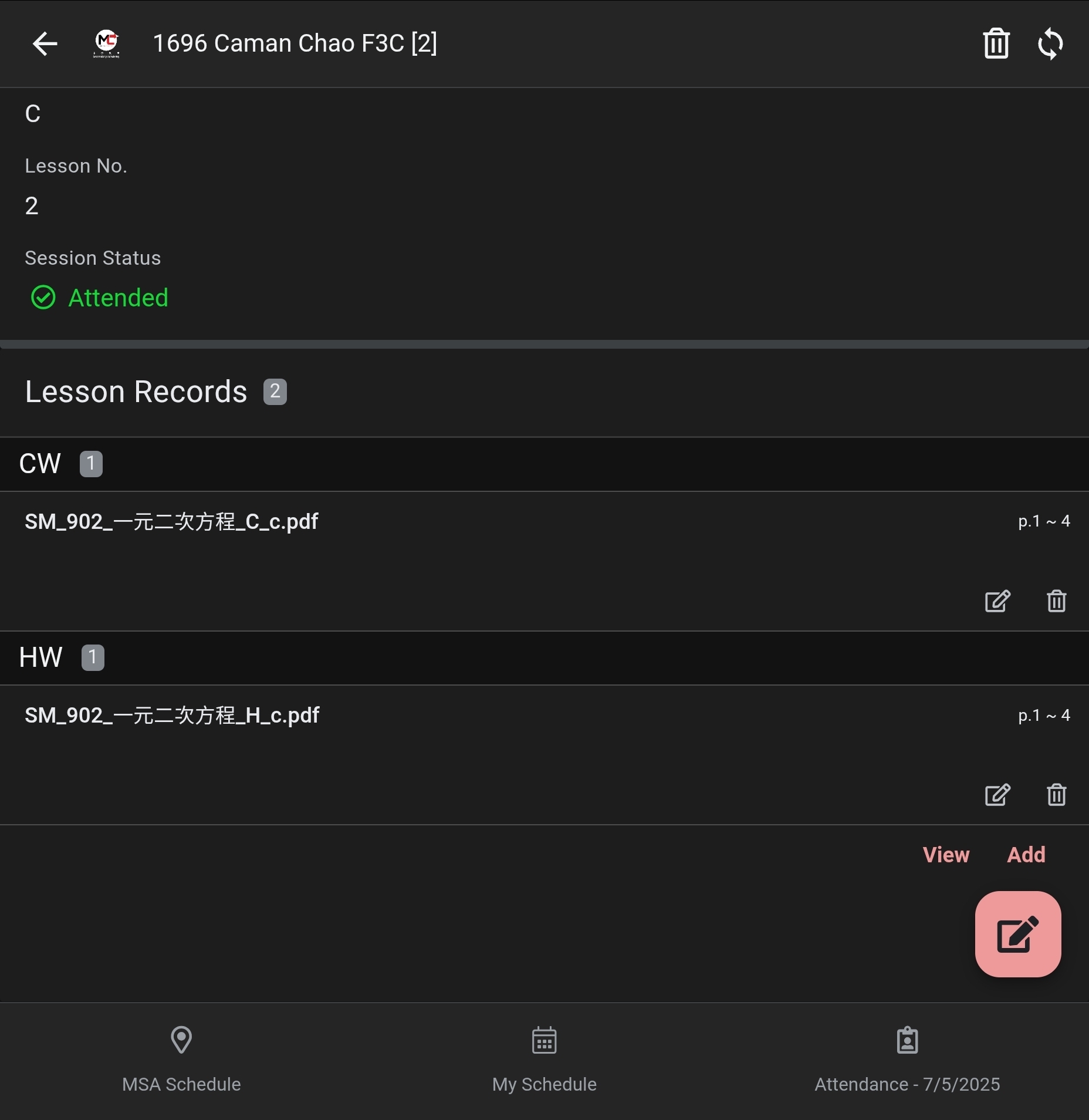
Tutors can log the specific materials used for each session. The app suggests default materials based on the lesson number and allows for custom entries, creating a detailed progress record for each student.
4. The Automated Workflow
- Student Pays: Admin marks the "Paid?" checkbox on the Assignment Sheet.
- Generate Sessions (Admin Script): Admin runs a script that automatically creates the initial "Scheduled" sessions in the "Session Log".
- Tutor Manages via App: The tutor opens their AppSheet app to see their schedule, mark attendance, handle reschedules, and log materials used.
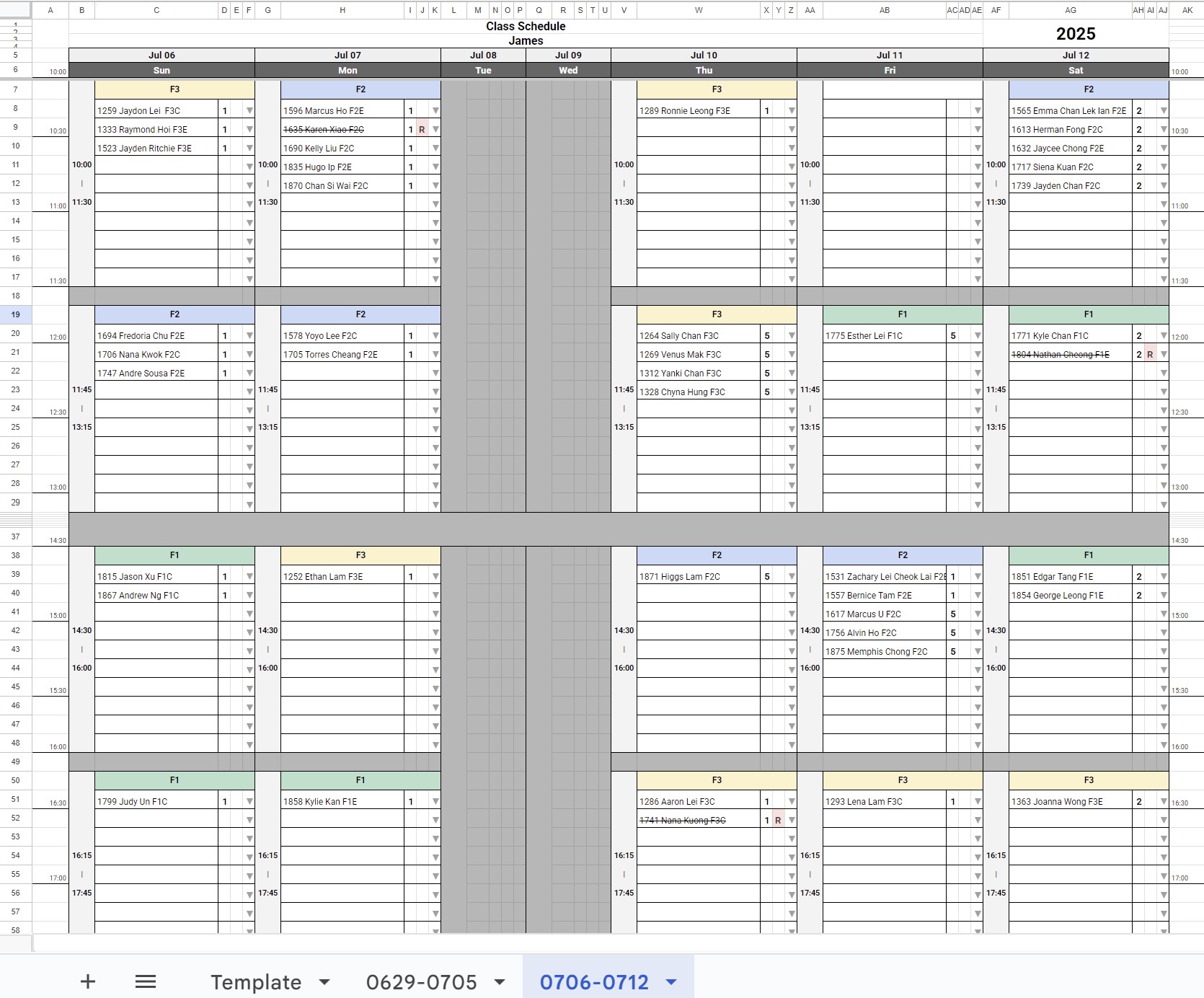
- Admin Generates Reports (On-Demand & Automated): For better readability and archival, formatted schedule sheets are generated. An admin can create these on-demand for any week, and a nightly script automatically updates them to ensure data integrity.
5. Current Limitations & System Refinements
While powerful, the current implementation has considerations that shape its use and offer pathways for future improvement:
-
Scalability: The AppSheet and Google Sheets backend is highly effective for a fixed-term course but may experience performance degradation with very large datasets (e.g., tens of thousands of session logs for year-round operation).
→ Improvement: For long-term, high-volume use, the data backend could be migrated to a dedicated cloud database. AppSheet can connect to these databases, providing significantly better performance and scalability. -
Shared Tutor Account: The system relies on a single shared Google account for all tutors. This requires tutors to manually select their name from a filter and prevents fully personalized views.
→ Improvement: Migrating to individual Google Workspace accounts for each tutor would enable features like "My Schedule" automatically filtering to the logged-in user and allow for more granular security roles. -
Static Formatted Schedules: The formatted Google Sheet schedules (`MMDD-MMDD` sheets) are snapshots in time and do not update in real-time.
→ Clarification: The AppSheet app is the primary tool for live, up-to-the-minute schedule information. The formatted sheets are for periodic reporting and archival, kept current by a nightly sync script. -
Material File Paths: The `File Path` references (e.g., "V:\...") are text-based. They are not clickable links from within the app.
→ Improvement: Migrating course materials to a shared Google Drive folder would allow AppSheet to create direct, secure links to the files, enabling tutors to open materials with a single tap.
6. Future Potential
This system provides a robust foundation. Future enhancements could include:
- ➔Automated email/SMS notifications to parents for make-up confirmations.
- ➔Analytics on material usage, tutor hours, and student attendance patterns.
This application transforms our class management from a static, error-prone process into a dynamic, real-time, and collaborative system.